> For the complete documentation index, see [llms.txt](https://docs.simlydent.vn/llms.txt). Markdown versions of documentation pages are available by appending `.md` to page URLs; this page is available as [Markdown](https://docs.simlydent.vn/huong-dan-su-dung/thu-and-chi/thiet-lap/trang-thai-thanh-toan.md).
# Trạng thái thanh toán
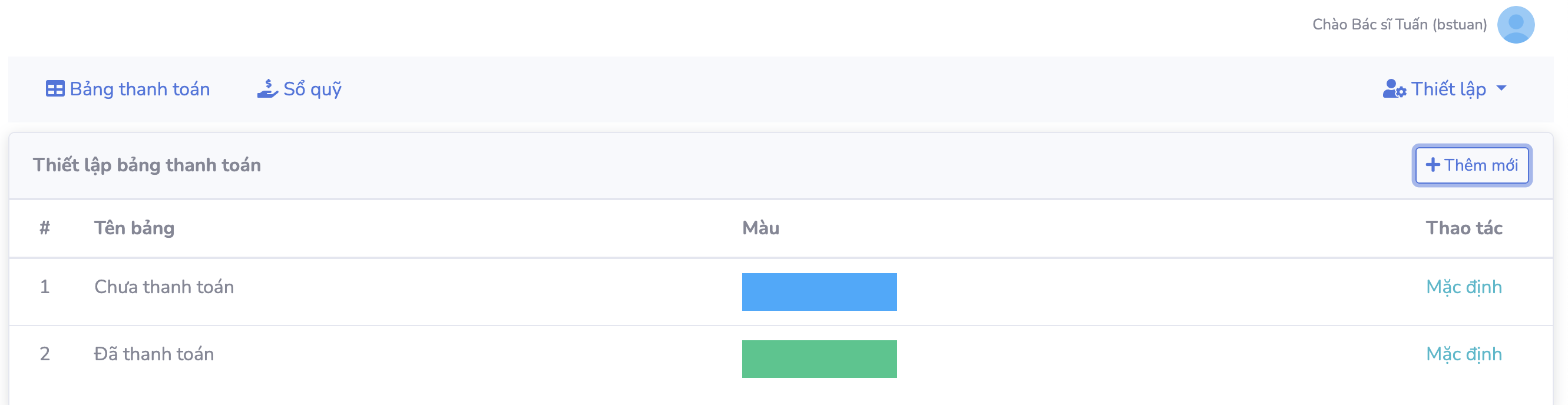
Tại tính năng '' Thu\&Chi '' ở mục '' thiết lập'' chọn '' trạng thái thanh toán '' để đến giao diện sau
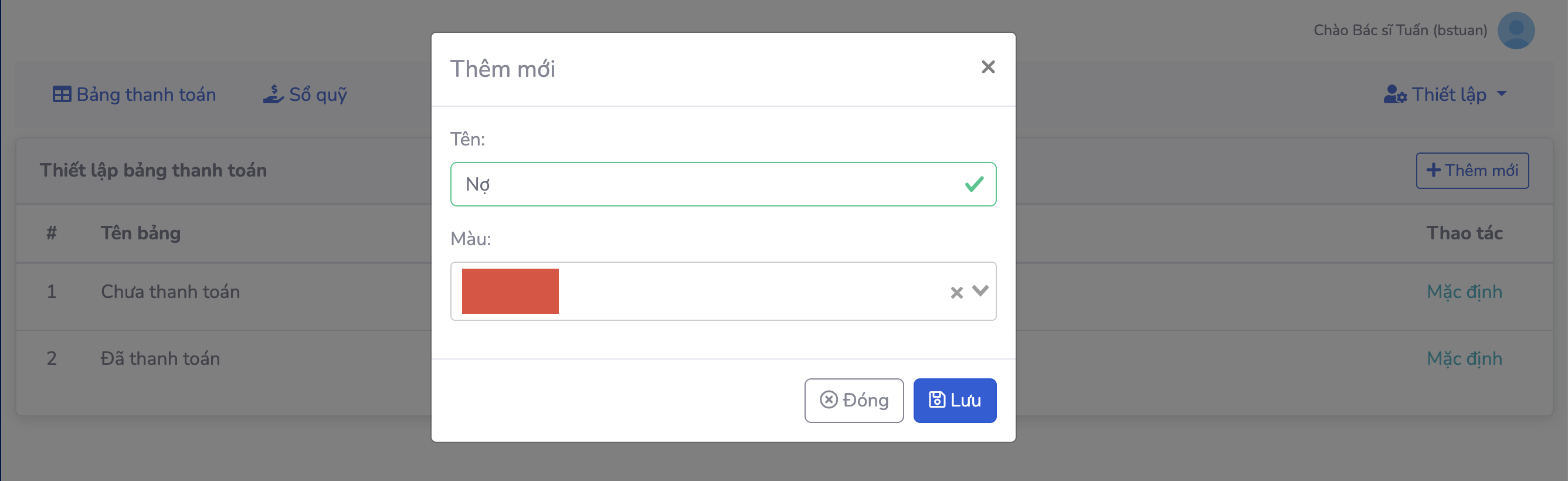
Tại đây. chọn '' thêm mới '' ở góc phải , sau đó nhập tên và chọn màu sắc tương ứng phù hợp
Cuối cùng, chọn '' Lưu '' để xác nhận thêm mới.
Sau khi thêm mới thiết lập, chọn biểu tượng ''cây bút'' để sửa chữa hoặc biểu tượng ''thùng rác'' để xóa.